That’s their name though? 
1 Like
It feels hard to believe that there are over 15 People in both Mumbai and Santa Fortuna, Male and Female all named John Doe. It’s just there Filler Name, sometimes used on purpose in Contracts Maps.
2 Likes
My point is that’s still a name, but I get what you mean 
1 Like
Do you have a fondness for guys in uniforms? 
I also never really enjoyed this mode, i usually just replay the Main Missions, just like in the good days! 
7 Likes
Haha no 
 I’m just very interested in Colorado and especially in Greys militia
To be honest, I never tried Contracts mode I don’t know why, just like you I mostly play the main story or sometimes the Elusive Targets, if I’m in the mood 
5 Likes
To clear this up. I decided to go with neither Group even though I already drew Risae. Instead I decided to form a Group out of Five Civillains from Winterbottom, who of course (mostly) found together in the Apocalalpyse. Unlike before, they have Two Strength & Weaknesses now, since especially Weaknesses such as Risae’s and Storm’s which were just refusing to wear something were pretty tame.
The New Group contains:

Karp Yu - Leader
Asian
Mid 50’s
Local Security
+Great Strategist
+Wise
-Prefers Dialogue Over Fight
-Cold

Fred Lamar
Caucasian
Early 20’s
Member of The Orcas
+Skilled Combatant
+Smart
-Snarky
-Self Assured

Mo Lithgow
Caucasian
Early 20’s
Member of The Cheetahs
+Athletic
+Loyal
-Naive
-Refuses To Wear Shoes

Melony Eberhardt III
Caucasian
Mid 20’s
“Raver”
+Strong
+Fast Learner
-Egoistic
-Unloyal

Viktor Hoffmann
Arabic
Mid 20’s
Local Security
+Inventive
+Loyal
-Combat Afraid
-Not Very Talkative
Of course all this Characters will receive a secondary design now, fitting the Post-Apocalpytic World more.
4 Likes
do you plan to release this novel to read somewhere when you start writing it, or when youve finished it? id be interested to see how it develops as a novel.
4 Likes
I defenitly plan to release it eventually, so I don’t know how yet. Before doing that though, I want to finish Season or Volume 4, which is were I stopped the original novel, because I regrettet some Character Decisions I made. I currently write Chapter 6 of 12 of Volume 2.
3 Likes
Hey @Philipp. I was wondering, how do you do that to the text (partially behind the object, partially in front of)?

7 Likes
With a Computer
7 Likes
cut out his leg and two arms from the picture, layer them on top of the original one, put text in, and put the text behind the arms and leg and in front of the original picture.
Or at least that’s one way of doing it.
8 Likes
You can usually do this by selecting the subject in the image, most editing software can do this but I’ll use Photoshop to demonstrate with a pic of live action Wallace.

Go to the select dropdown, click Select and Mask…

Then draw over what you want to select, and click done.

8 Likes
Oh, I thought you needed a console 
Thank you @bgyorok & @CamTheChest, those are some useful tips actually. Do I have any chance for implementing them with PowerPoint though?
5 Likes
I’m not too familiar with PowerPoint, but it should be as relatively easy as placing any image in a slide.
2 Likes
I can’t remember allowing you to use this photograph of me, not cool bro!
11 Likes
I usually do my simpler projects like FC pictures with PowerPoint for its ease of use. This method is a lot easier, but also needs preparation:
-
Make a greenscreen and normal version of a picture with Ansel if possible.
-
Get rid of the greenscreen with removebg or other types of software:
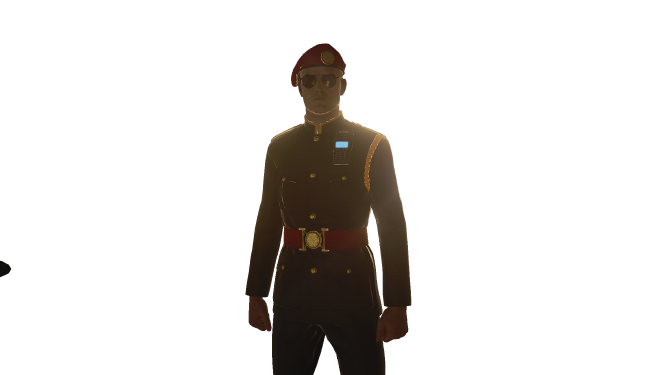
-
Layer the greenscreen one on top of the original one (not perfectly aligned for clarification purposes).
-
Profit.


5 Likes
Thanks for reminding me that his abomination exists 

4 Likes
@Hichkas Yeah, there really are many different approaches to this. If I remember correctly, I rasterized my type layer and converted it into an image. I then manually erased parts of it around the arms and the leg. Normally, I would choose @CamTheChest’s method.
@bgyorok I’m actually blown away by this. Great guide! 
5 Likes
How did you got Ansel Greenscreen to work?
1 Like
I do have to admit that it is broken, but a fix for it is just spamming. Some screenshots will have greenscreen, some will not.
Of course, it’s not exactly good for your hard drive, so this can only be used if you’re not trying to have 100+ different greenscreen screenshots at once. Even then, mass deleting should relieve your disk space 

4 Likes