Here you go:

I genuinely don’t think I will get the Mod Explorer working as now that I’ve put the image as a jpg and as a png, both times it said it was unable to extract the file which I’m assuming was the image (I’ve never even heard of an image being extracted before, IDK could just be something I don’t understand). I guess I can still download the mods manually and just manage them using QuickMod. If there is a way to make this a png and have it be “extractable” that would be greatly appreciated, but otherwise thank you for your time and the help.
What is the actual error message?
Here I got a screenshot (BTW sorry for not replying sooner for me it was midnight when you messaged)
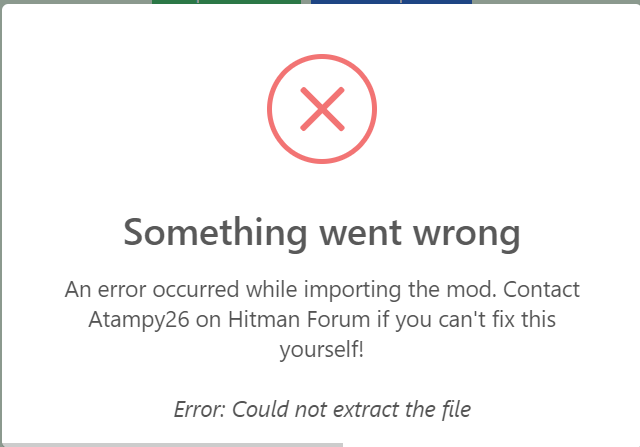
just got this error code?
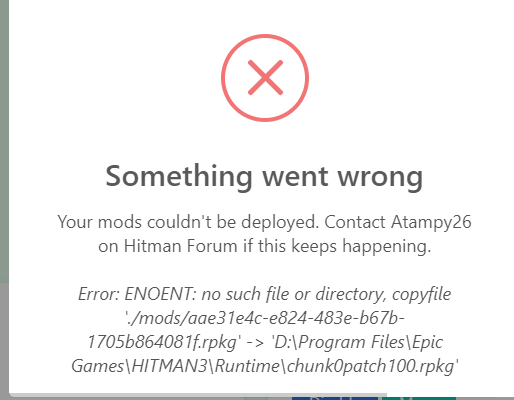
nevermind fixed it i just had to input that long file
i fixed the error but the mods dont work at all?
I am similarly having an issue. It seems when I use QuickMod and it creates the chunk files, the regular game doesn’t acknowledge any of them. Even mods made for the current version of the game. Nothing works at all even if I enable it and see it as a patch in Runtime. Packagedefinition was updated too. I can’t deduce what’s wrong here.
How would I fully reset QuickMod?
Resetting QM will only help if the error comes from it.
What mods are you trying to install?
How do I get Quickmod to set the file directory for hitman 3 again (I recently uninstalled and reinstalled the game)?
You can reset QuickMod by clicking on the credits text or background and typing reset.
Resetting it doesnt seem to do anything for me…
Okay, so I managed to get Quickmod to find a new directory by deleting the quickmod.json file in the Quickmod AppData folder.
1 Like
Hey @Atampy26 im trying to deploy mods(on QuickMods), but it keeps saying this:
Your mods couldn’t be deployed. Contact Atampy26 on Hitmanforum if this keeps happening.
Error: ENOENT: no such file or directory, copyfile ‘./mods/c24b050d-8ab7-49b2-a5a0-613c0f775de2.rpkg’ → ‘D:\SteamLibrary\steamapps\common\HITMAN2\Runtime\chunk0patch5.rpkg’
And I dont have anything called chunk0patch5.rpkg , soooo how do i fix this? I also Deleted and reinstalled Hitman 2, so i need to reset Quickmod, and when you say that i need to press the background or the credits text, i dont quite know what u mean.
I have also tried to run it as adminstrator, but it says ffmpeg.dll couldnt be found and i dont know were to find/get it.
I was also wondering if it was possible that you could put the randomizer mod in QuickMod?
I mean click on the background or credits text.
This is highly unusual. Are you the administrator of the computer? What OS are you using?
Not possible unfortunately.
EDIT: Please send a screenshot of your QuickMod root folder as well as its mods subfolder.
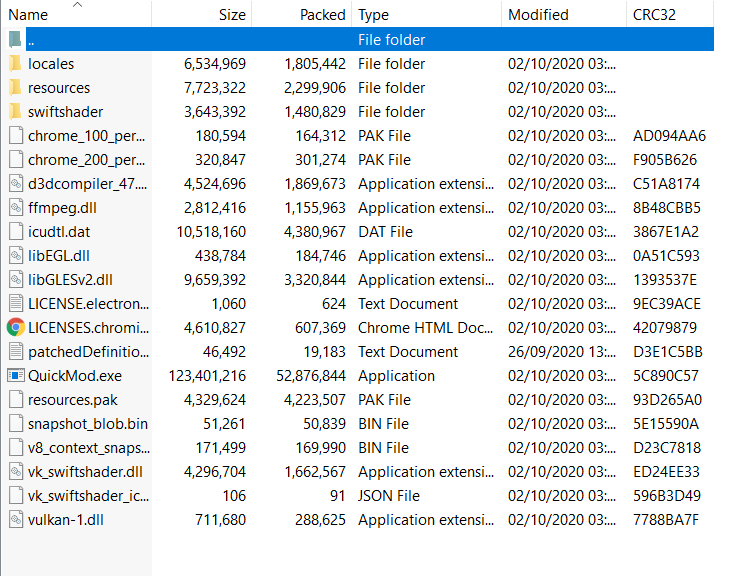
Idk if this is what you want but, this is what i found.
And i still dont know what background or credits text your talking about.

Im sorry i was tired yesterday and today, its seems so obvious now that i have woken up.
And yes, the way i open the app is by going in to the zip and then opening Quickmod.exe. When i reset Quickmod and reopen it, its the same as before and i cant but any game files in.
Btw when u say names of stuff such as OS or similar, i have no clue what you talking about.
That’s because you’re opening QuickMod from a ZIP.
ZIP files are pretty much static when you do that, so it’s like resetting your computer every time you use it. You need to extract the ZIP file to a folder and use QuickMod from there.
I have done that
but when i try to open it, it says that the ffmpeg.dll couldnt be found.
And i dont know what OS im on.